
 06 May 2026
 Share
Share
1
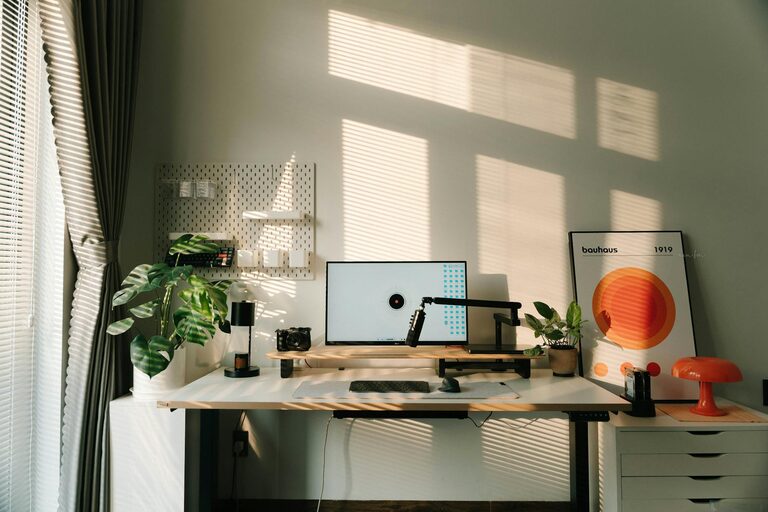
Creating a cozy and functional home workspace is essential for maintaining productivity and comfort when working from home. Whether you have a dedicated room or just a small corner, designing a workspace that suits your needs can make a significant difference in how you feel and perform throughout the day. In this post, we’ll explore practical tips to help you set up an inviting and efficient home office.
Your workspace directly affects your focus, motivation, and overall well-being. A cluttered or uncomfortable setup can lead to distractions and fatigue, while a thoughtfully designed environment encourages productivity and reduces stress. By investing some time into your home workspace, you create a positive atmosphere that supports your daily tasks.
Whenever possible, position your workspace near a window to maximize natural light. Sunlight boosts mood and energy levels, helping you stay alert. If your room lacks natural light, make sure to invest in good-quality artificial lighting that mimics daylight.
Pick a spot in your home where noise and interruptions are minimal. If you share your space with family members or roommates, communicate your working hours to maximize focus. Using noise-canceling headphones or creating a visual cue, like a closed door or a “do not disturb” sign, can also help.
Comfort is key to avoid fatigue and posture problems. An ergonomic chair that supports your back and encourages good posture is a worthy investment, especially if you spend several hours working daily.
Choose a desk that fits the space and accommodates your computer, documents, and other equipment comfortably. Ensure the desk height allows your arms to rest naturally at about a 90-degree angle when typing.
If you prefer, consider a standing desk or a convertible sit-stand desk. Moving between sitting and standing helps reduce physical strain and increases energy and focus.
Keep only essential items on your desk to avoid clutter, which can be mentally distracting. Use trays, small containers, or drawer dividers to organize supplies like pens, paper, and cables.
Use shelves, filing cabinets, or storage boxes to keep documents, books, and other materials neatly stored. Label items for easy access and maintain an organized workflow.
Tangled cables create a messy look and can be frustrating. Use cable clips, sleeves, or under-desk trays to keep wires tidy and out of the way.
Indoor plants add a touch of nature, improve air quality, and create a calming environment. Low-maintenance plants such as succulents or snake plants are perfect for home offices.
Incorporate artwork, photos, or motivational quotes that inspire you but avoid overcrowding the space. Choose calming colors for wall paint or accessories to reduce stress and enhance concentration.
Use a combination of ambient, task, and accent lighting for a comfortable and functional space. Table lamps or adjustable desk lamps provide focused light where you need it most.
Dimmable lights or lamps with adjustable brightness help you customize lighting based on the time of day and the task at hand, reducing eye strain.
Place your computer screen perpendicular to windows to avoid glare. Adjust your monitor height so the top of the screen is at or slightly below eye level. Regularly take short breaks using the 20-20-20 rule: every 20 minutes, look at something 20 feet away for 20 seconds.
If your workspace is part of a larger room, create a visual boundary to separate work from leisure. Use a room divider, a rug, or a different wall color to define your workspace. This helps your brain associate the area with focus and productivity.
Place frequently used items such as your phone, notepad, or water bottle within arm’s reach to maintain workflow without constant interruptions. Use desk organizers to keep these essentials neatly arranged.
Choose technology and tools that support your work comfortably and efficiently. Invest in a good-quality keyboard, mouse, headphones, and a reliable internet connection. Keep devices charged and consider a backup power source for uninterrupted work.
A clean and organized workspace calls for regular upkeep. Make it a habit to tidy your desk at the end of each day. Schedule weekly or monthly reviews to reassess your setup and adjust as needed to fit your evolving work habits.
—
Creating your ideal home workspace is a process that balances comfort and functionality with your personal style and work demands. By following these tips, you’ll design a space that not only boosts your productivity but also makes working from home a pleasant and inviting experience. Happy decorating and working!
